Pages

Sunday, October 14, 2012

Make Bootable Windows XP, VISTA, 7 , 8

What is WinToFlash

There may come a day that optical drives are as hard to find as 5.25 floppy drives are today.
WinToFlash starts a wizard that will help pull over the contents of a windows installation CD or DVD and prep the USB drive to become a bootable replacement for the optical drive. It can also do this with your LiveCD.
You don't have to worry about scratches on the disc or misplacing your original media discs once you transfer their contents to the flash drive. The optical drive is quickly becoming a thing of the past, especially in office environments, as media is shifted to the cloud.
Read about all supported features on the Overview page.


Download Latest version

BetterInstaller (fastest partner download): Download WinToFlash with BetterInstaller (En)
Latest version via official download server #1: 0.7.0054 beta
Click to download via FTP protocol from Novicorp WinToFlash download server #1
Extra link via official download server #2: 0.7.0054 beta
Click to download via FTP protocol from Novicorp WinToFlash download server #2
Latest version via Torrent: 0.7.0054 beta ( magnet)
Click to download via Torrent protocol. If you have problems use one of links below
Click to visit FindmySoft download page
Click to visit Fiber download page
Free Download Splace download: Download WinToFlash from FDP (En)
Click to visit FDP download page
Place77 download: Download WinToFlash from Place77 (En)
Click to visit Place77 download page
Brothersoft download: Download WinToFlash from brothersoft (En)
Click to visit brothersoft download page
DownloadRoute download: WinToFlash download from DownloadRoute (En)
Click to visit DownloadRoute download page
Click to visit SoftSea download page
Click to visit Computer bild magazine download page
Click to visit Chip magazine download page

Monday, September 17, 2012


How to Reset Nokia Security Code


Tools Required:
- Nemesis Service Suite (NSS)
- Nokia PC Suite
- Data cable

Regain Your Security Code
Steps:
1. Install Nokia PC Suite
2. Install Nemesis Service Suite (NSS)
3. Connect your phone to your PC with data cable. If the phone prompts, choose default mode or PC Suite mode (DON’T OPEN PC SUITE)
4. Open Nemesis Service suite (NSS)
5. Click scan for new devices button (on top right corner of NSS)
6. Click Phone Info button.
7. Click Scan button.
8. Click Permanent Memory tab.
9. Click Read button.
10. It will read the permanent memory file and save it on the disk at following path.
C:\Program Files\NSS\Backup\pm\.pm
11. Open the .pm file using Notepad.
12. Now scroll until field [308], and on the 5th Record (5=) your security code is saved at there.
13. Like 5=
31323334350000000000 (Example)
14. Abandon the red fonts.
15. So, 12345 is your security code. (Example)

Reset Your Security Code
Steps:
1. Install Nokia PC Suite
2. Install Nemesis Service Suite (NSS)
3. Connect your phone to your PC with data cable. If the phone prompts, choose default mode or PC Suite mode (DON’T OPEN PC SUITE)
4. Open Nemesis Service suite (NSS)
5. Click scan for new devices button (on top right corner of NSS)
6. Click Phone Info button.
7. Click Scan button.
8. Under Power Mode, click Local and then click Change button. At this part, your phone should restart, and you should see the text Local mode across your phone screen.
9. Under Production Data Edit, click Read button. The text boxes should now contain values.
10. Check the Enable check box beside Product Code.
11. Click Write button.
12. Select Tools button on top
13. Click Factory Settings tab
13. Tick Full Factory button and click Reset button.
14. Final step, go back to Phone Info and click Normal then Change.
15. Now your security code should be 12345.

LINKS  :
Nemesis Service Suite Beta 1.0.38.15 (zip file,6.95 MB)

Nemesis Service Suite Beta 1.0.38.15 Release Notes (txt file, 26 KB)

 NOTE : I have tried this software with Nokia 3120 classic Model Only. It is confirmed i regained my security code & successfully unlocked the phone. Try this, no-harmful malware , viruses  included.

IMPORTANT  : There is another version called "NSS Pro.0.50" I do not recommend this because my antivirus software (avira free antivirus) detected some infected DLL file and refused at the downloading stage. If you are brave enough & have trust your antivirus software try this out at your own risk

* Recently found another tool, currently testing & will post if it is a success.

SEE YOU SOON.....................................................................................

Sunday, September 16, 2012

Best Free Windows Password Recovery / Reset Tools


1.


What is ophcrack?

Ophcrack is a free Windows password cracker based on rainbow tables. It is a very efficient implementation of rainbow tables done by the inventors of the method. It comes with a Graphical User Interface and runs on multiple platforms.

Features:

  • » Runs on Windows, Linux/Unix, Mac OS X, ...
  • » Cracks LM and NTLM hashes.
  • » Free tables available for Windows XP and Vista/7.
  • » Brute-force module for simple passwords.
  • » Audit mode and CSV export.
  • » Real-time graphs to analyze the passwords.
  • » LiveCD available to simplify the cracking.
  • » Dumps and loads hashes from encrypted SAM recovered from a Windows partition.
  • » Free and open source software (GPL).
2. 


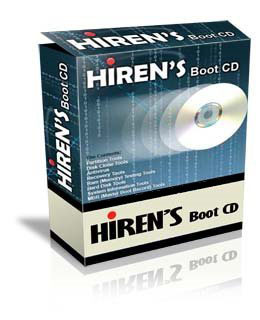
When it comes to having a certain PC streamlined, base lined, or simply reformatted, there are various ways to do so. Many resort to using the traditional clean install, where the primary driver is reformatted, thus leaving the PC clean and new, and the only thing that is very tedious to do afterwards are none other than installing once again the drivers or hardware installed on the computer, which usually take 2 or 3 hours to finish. What more if the computer is having a problem to boot or load the operating system? What if the BIOS (Basic I/O or Input / Output System) becomes corrupt thus not able to access the operating system like Windows or Mac, and not being able to access the files? Well, there is a solution to this, and it's another easy to use software: Hiren's BootCD.
Hiren's BootCD is a boot disk utility that will help in resolving and making reformatting your computer easy. This kind of compilation software provides a compilation of programs to help resolves most and some uncommon Internet and computer issues like driver failure, intermittent internet connection and other computer malfunctions.

Partition Tools

Partition means to divide a certain part of a hard drive for backup and system files, like separating a part from the whole. In most computers, the primary disk is C:, since it hold the operating system and program files. When a hard drive on the computer is partitioned, there are 2 independent drives, the primary for the OS, and the other for backup files. Since the 2 drives are independent, the drives work isolated and when becomes corrupt, the other is not affected. Partition Tools not only help in creating a new partition while there is still an open operating system, but it also helps manage and control the use of these partitioned drives. As a computer user, the person may opt to modify, resize the total capacity or delete any partitions made within the computer through the compiled list of programs which include Macrium Reflect, Partition Image and Partition Saving as one of the programs included. And that way, the creation of hard drive partitions without the need of installing an OS like Windows, Linux or Mac is lessened, which is the main goal of these computer programs, that is to add, modify or remove computer drive partitions without compromising the reinstallation of an Operating System.

Backup & Recovery

Files maybe sometimes irretrievable due to being accidentally deleted or the file was not recognized by the computer system. Although the search feature in Windows may prove worthy, it sometimes leads to no files being found even though the file is available and still on the said hard drive. Another thing to note is the backup and recovery of the files from a computer. People may never know when disaster strikes and files have already been missing or deleted somehow without the user noticing. BootCD has a list of programs that can be used to backup, recover and retrieve files easily and with no hassle. Aside from backup and retrieve purposes, some files that are backed up can be also corrupted and certain programs can help in recovering and making the file corrupted accessible to use. Now, the main purpose of having programs loike this is to ease the burdens of backing, thoug it may be a good practice. Software like these include GetDataBack, HDD Scan and Recuva, from the makers of the CCleaner software, Piriform.

Antivirus Tools

Most computers require an antivirus program. An antivirus program can be defined as a certain computer program designed to program and maintain the computer secure, meaning free of viruses and corrupt data. It also helps in maintaining computer performance in tip-top shape, so as to maintain the integrity of the hardware and system itself. Hiren's BootCD has a number of free antivirus and can be used immediately. There are also a number of hard drive cleaners if ever there is a chance that the computer is already infected with malware, spyware, Trojan or any other virus. Aside from these purposes, some antivirus does not take much or hog the system resources and work in the background not unless the computer is idle for a time being, that way processes of other programs that take more power and resources can be given priority. Some programs included are Avira AntiVirus, SpyBot: Search & Destroy, and Malwarebytes Anti-Malware.

Testing Tools

Maintaining a certain PC is a craft. It's hard work in the process. The BootCD software has programs that can help in maintaining computer stability. It also has programs to check errors on the hardware installed. Aside from these, a certain program can estimate the life of hard disk or hardware installed. Aside from the fact that can estimate and test a computer for known and unusual hardware activity and hardware life, it also tests a certain computer component for any possible errors it can make which can render the PC unusable or corrupted. It can also monitor faults in RAM (Random Access Memory) or the memory for storing processes. Aside from RAM, it can also monitor possible faults in devices like the hard drive, CD Drive even the USB (Universal Serial Bus) ports. The variety of software that can be used can also monitor the physical aspect of the device or driver installed. It can give a report that a certain computer component has physical damage and the user has to check if it has an error in placement or the device is really defective.

Password Tools

Passwords are an important security feature in most systems. But as time passes by, a certain user may forget such passwords. The BootCD software contains programs like Autologon, WindowsGate, or Windows Key Finder help manage and remember passwords for forgetful PC users. Certain programs also provide password encryption and requirement for hard drive writing or removal of files or simply to secure the net as well.

Mini Windows XP

A simple version of Windows XP is made as an option to be used in cases that require a separate or independent OS, like in a scenario that a certain computer has been filled with viruses. That way, another OS is working on the installed Operating System, and the user can use any available program to clean such viruses without having the need to reformat.

IMPORTANT : Follow below links related to Hirens Boot CD
Tool   : Offline NT Password Changer 2011-05-11
       Usage : Utility to reset/unlock windows NT/2000/XP/Vista/7 administrator/user password.


Tool   : Password Renew 1.1
       Usage : Utility to set/reset windows NT/2000/XP/Vista/7 (32bit only) passwords.


Friday, July 20, 2012


  Readiness Test Answers


Find the updated oDesk Readiness Test Answers


oDesk is the world largest online work outsourcing marketplace. 


Thousands of independent contractors, employers and companies are registered on oDesk. Contractors use oDesk to find work/jobs for a descent pay. Employers use it to find right contractors for an affordable price.  


If you are new to oDesk you have to create a contractor profile first. Before applying for jobs passing the oDesk Reediness Test if a prerequisite. This test usually includes 11 questions covering the basics, that you should know; to be success in oDesk as a freelancer contractor.


Here you can find a sample oDesk readiness test questionnaire and answers. 


But we highly recommend you to refer help files and other resources available on oDesk.com before starting your work on ODesk. By experience we know it could be a significant factor for the success of your freelancing career. 
::Note :- Please note the order of the questions may vary, but all questions remain same from February 2012 to date.
Good luck!

1.Which of the following are NOT permitted on oDesk

Sharing a single account between multiple people

Opening more than one account on oDesk


Using a logo or clip art as your profile portrait


Using a fake name


All of the above


2.The oDesk team application time tracker records which of the following

Screenshots of the active screen once per billing agreement

Numbers of keystrokes

Numbers of mouse clicks

Memo entered by the contactor

All of the above


3.Which of the following are required to qualify for guaranteed payment?

An hourly contract

Tracking your time with the oDesk team application

Entering relevant memos

An employer with a verified payment method

All of the above


4.Can I start my own agency in oDesk?

Yes, you can crate an agency and earn money by selling the services

No. oDesk is for independent contractors only


5.What happens when a contract ends?

You loose access to the work diary

Both users can leave feedback

The feedback system is double blind

Hours will be billed (an disputes may be filled) according to the usual weekly payment schedule

All of the above


6.Which of the following are TRUE about your oDesk work diary?

Allows employers to see when and what their contractors are working onv
Enables automatic billing for hourly contact

The oDesk team application auto-tracks time which can be reviewed in the work diary

Manual time can be added, but isn’t guaranteed payment

All of the above

7.Which of the following are TRUE about the oDesk dispute process?

The dispute process only applies to hourly contracts

If you fail to respond, oDesk will refund the employer and suspend your account

If you reject the dispute, oDesk specialists will review your work diary and evaluate it against the criteria of the payment guarantee

Dispute hours ruled in the employer favor are refunded

All of the above


8.Which of the following statements about the oDesk fees is FALSE?

The oDesk fee is 10% of the employer’s payment on jobs

ODesk is free to join

ODesk if free for contractors to apply and work on jobs

The oDesk fee is $2/hour for hourly contracts

All of the above


9.Which of the following is TRUE about fixed-price contracts?

Employer billed automatically each week

How much to pay and when to pay is at the employer’s discretion

Hours worked will show on your profile

Time-tracking required

Quality for the oDesk payment guarantee


10.Which of the following actions are NOT allowed when applying to job postings?

Misrepresenting your skills, experiences, portfolio, etc.

Submitting boilerplate, placeholder or generic bids or other spam

Disclosing direct contact information

All of the above


11.Which of the following is FALSE about weekly limits on hourly contracts

Hours in excess of the weekly limit will not be billed to the employer

You should discuss any need to work beyond your limit with the employer

The weekly limit can be changed by the contractor

The weekly limit can be changed by the employer

Hours in excess of the weekly limit are not guaranteed payment